Kippadoo vs free pixel art converters: what a bead pattern needs
A pixel art converter is a website or app that turns a picture into a grid of coloured squares. That grid is the start of a fuse bead pattern, but not all of it: to make the piece you also need colours that exist as beads, a count per colour, and a print that matches your pegboard.
Updated 28 October 2026
Can I use a free pixel art converter for fuse beads?
Yes, if it gives you more than the picture. A grid of squares shows you where each bead goes. Whether you can actually make it depends on four things the converter may or may not do, and they differ from one converter to the next.
Four things to check in any converter
- 1Bead colours. Are the squares in colours you can buy as Hama or Perler beads, with their colour codes? A converter that picks any colour from the photo leaves you matching dozens of shades to beads by eye.
- 2Pegboard size. Can you set the size in pegboards? A standard square pegboard is 29 × 29 pegs, so a picture 60 squares wide doesn't fit on one and you have to split it over several yourself.
- 3Bead counts. Does it tell you how many beads of each colour you need? Without that you count squares on screen or buy too much. More on that in how many fuse beads do I need.
- 4Print size. Does the print come out the size of your pegboard? A pattern at actual size goes under a clear pegboard and you place beads on top. A picture scaled to fit a sheet of paper has to be followed by counting rows.
What Kippadoo does with the same photo
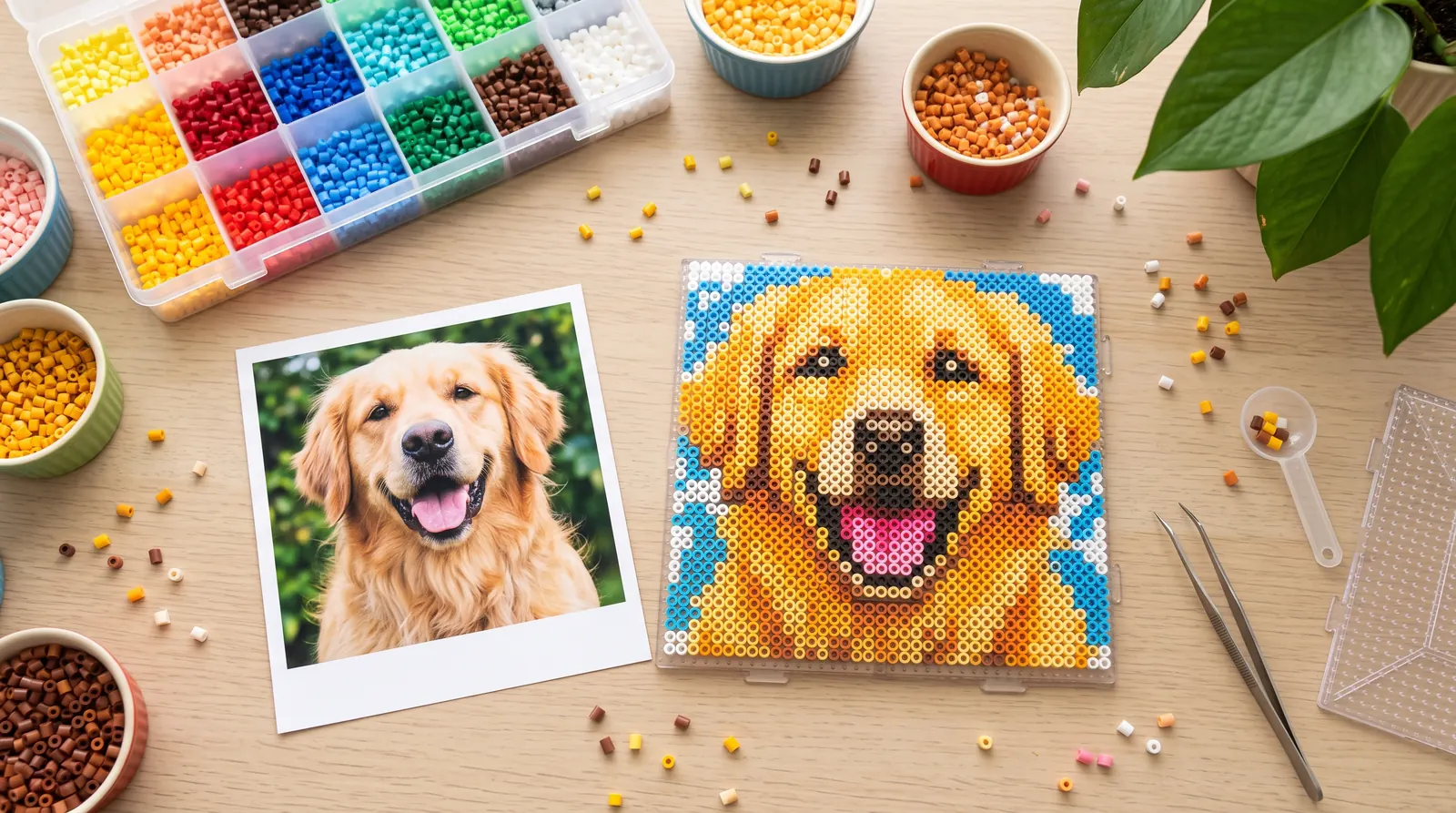
Kippadoo is a pattern maker for crafts, not a general pixel converter. You choose fuse beads and how many pegboards to use, from one up to nine (87 × 87 beads), and the photo becomes a pattern in Perler or Hama colours with their codes.
- You see the photo as finished beads straight away, before you download or pay.
- The printable PDF has one page per pegboard at actual size, with a ruler on the page to check the print, row and column numbers, and a list of every colour with how many beads you need.
- You can change single beads in the editor, with the photo shown faintly underneath.
- The same photo also works for cross-stitch with DMC floss numbers, diamond painting with DMC drills, and LEGO DOTS.
- The photo is processed in your browser and never uploaded.
When a free converter is enough
- The piece fits on one pegboard and uses only a few colours, such as a logo or a simple icon. Then matching colours and counting by eye is quick.
- You make pixel art for a screen or a game, not with beads.
- You already have a bead colour chart and like working out the colours yourself.
When Kippadoo saves you time
- A photo of a pet or a person, with many shades that need to become a handful of bead colours.
- A piece across several pegboards, where you want one printed page per board.
- You want to buy the right number of beads per colour before you start.
You can try both with the same photo. Open the fuse bead pattern maker, and see how to choose a photo for which photos come out well in beads.
Questions
Not quite. A pixel art converter turns a picture into coloured squares. A bead pattern maker also uses real bead colours with codes, splits the picture over pegboards, counts the beads per colour and prints at actual size. Some converters do part of this, so check.
Drawing your own patterns and turning your first photo into a pattern are free with a free account, including the printable PDF. After that, one photo pattern is €1.99, or Plus is €6.99 a month or €49.99 a year.
No. Kippadoo makes the pattern in your browser, so the photo is never uploaded. When you save a pattern, only the pattern is stored.